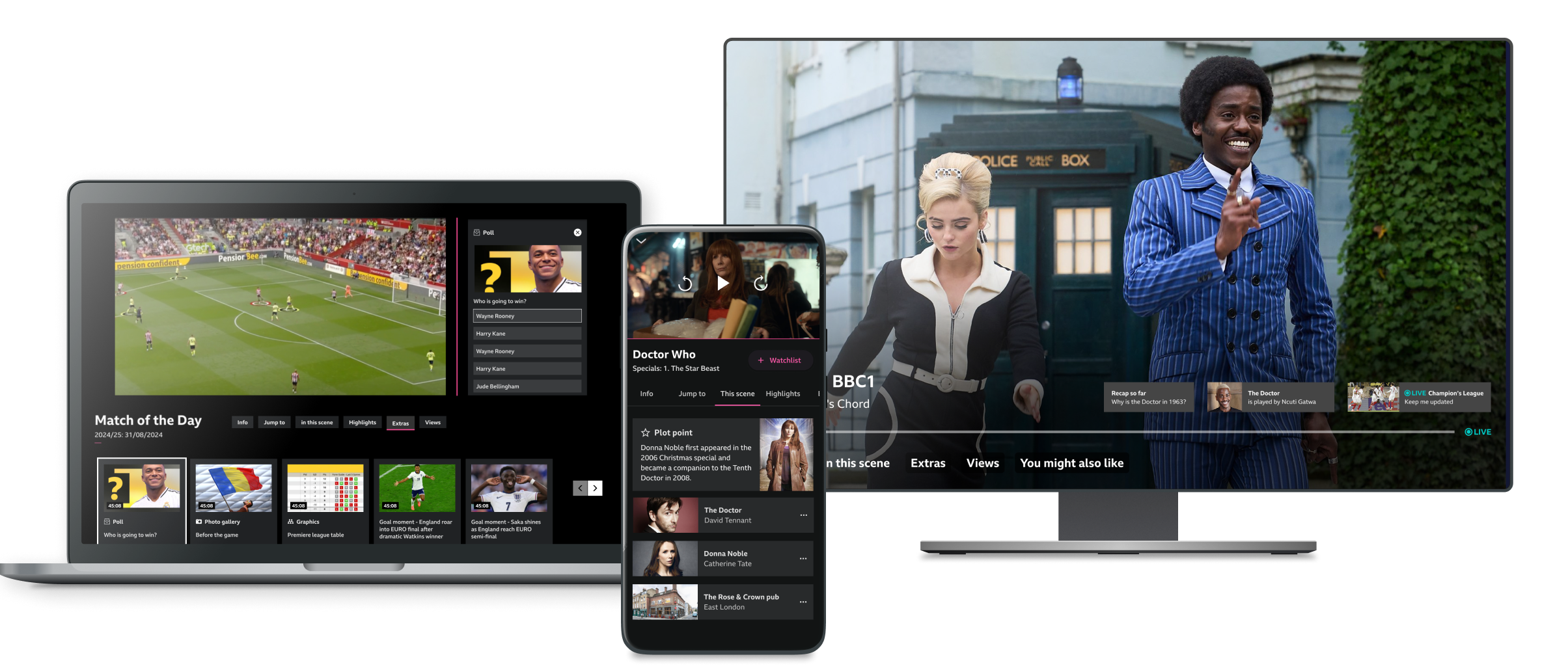
I designed a comprehensive and scalable way to make video and audio playback more personalised—from strategic vision to detailed UI patterns—turning years of R&D research into something valuable for the business.
BBC R&D has worked on personalisation of content for many years. There was a wealth of research on user needs but no clear articulation of how to meet them.
My Role
As the lead designer on this top priority R&D project:
I collaborated closely with product colleagues to define a strategic understanding of personalised media.
I defined a universal UX approach for personalisation of media.
I negotiated to find additional design support at no extra cost for the project.
I led the delivery of detailed UI concepts to bring the vision to life across mobile, web and TV.
Outcome
This design work secured funding to roll out personalisation to BBC iPlayer and Sounds, making it one of the most successful R&D projects in recent years.
In more detail
1. A framework for personalisation
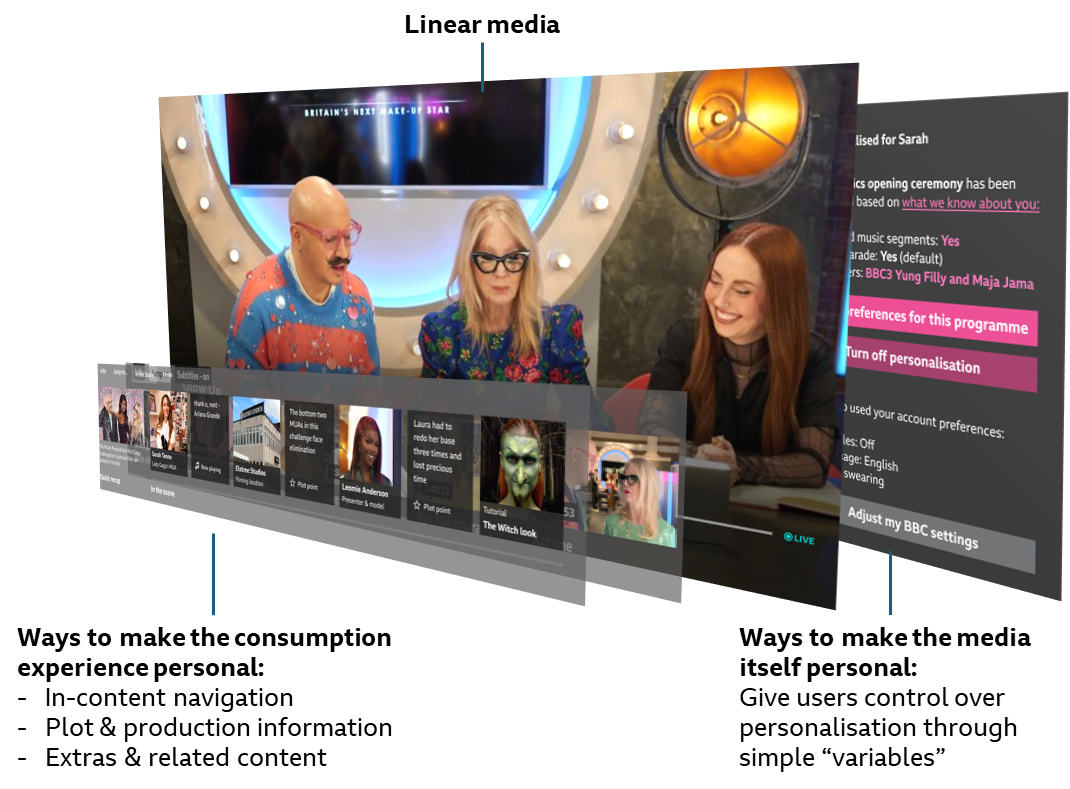
My first step was to understand the many ways in which consuming content can vary from user to user. The outcome was a holistic framework to help make sense of something as broad and vague as “personalisation”. This greatly helped my product colleagues make sense of the space and communicate with the rest of the business.
Framework for personalisation
2. Detailed UI explorations
I then led a small team of designers to turn that framework into a UI approach that works across all genres and devices. Here are some of my favourite details:
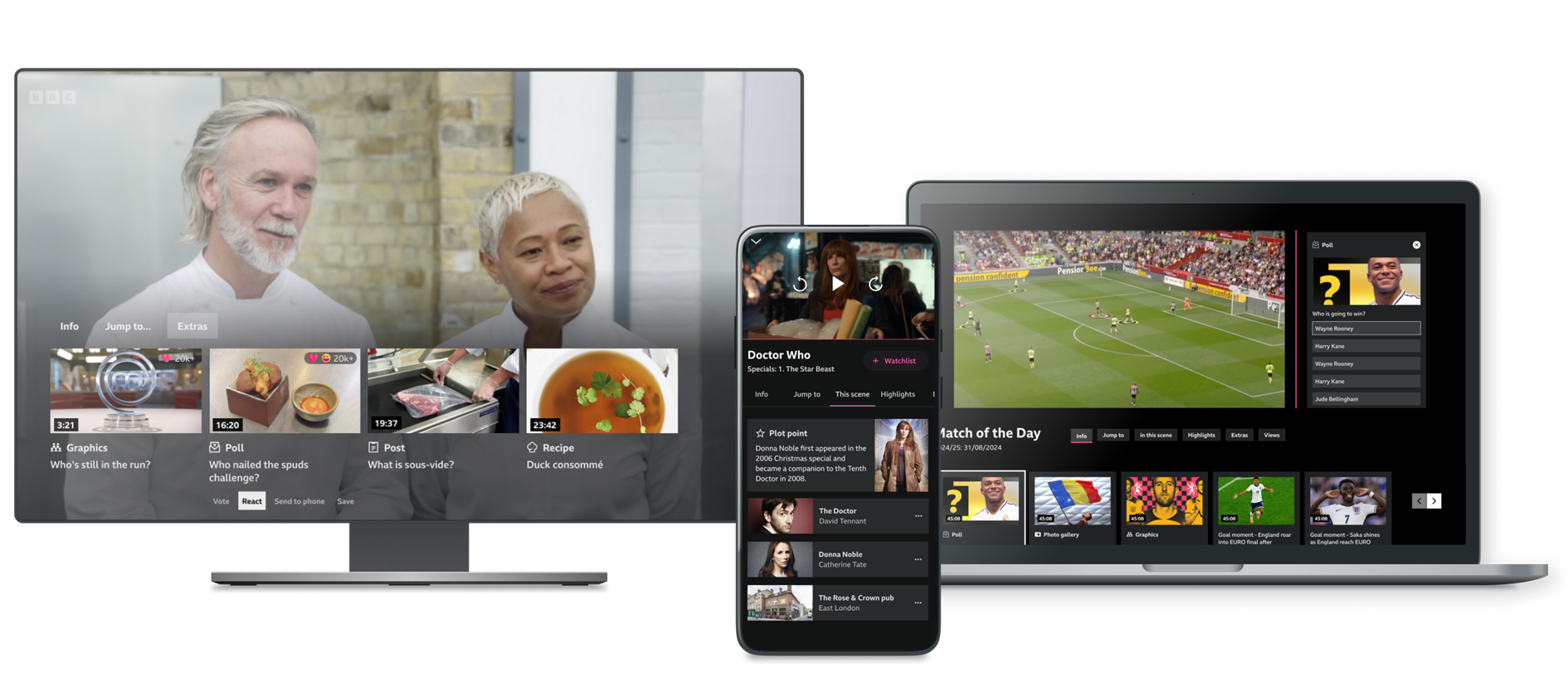
This TV UI shows a variety of “Extras”. Because of the form factor and limited controls, most of these would not actually be consumed on the TV but bookmarked or sent to a second device.
This mobile UI shows the “in this scene” tab, which covers actors, music, filming location but also plot points or recaps relevant to the current scene.
On web, the extras are integrated into the rest of page so as not to obscure the video. In full screen mode, the UI becomes closer to the TV one.
Detailed UI explorations
3. More detailed UI explorations
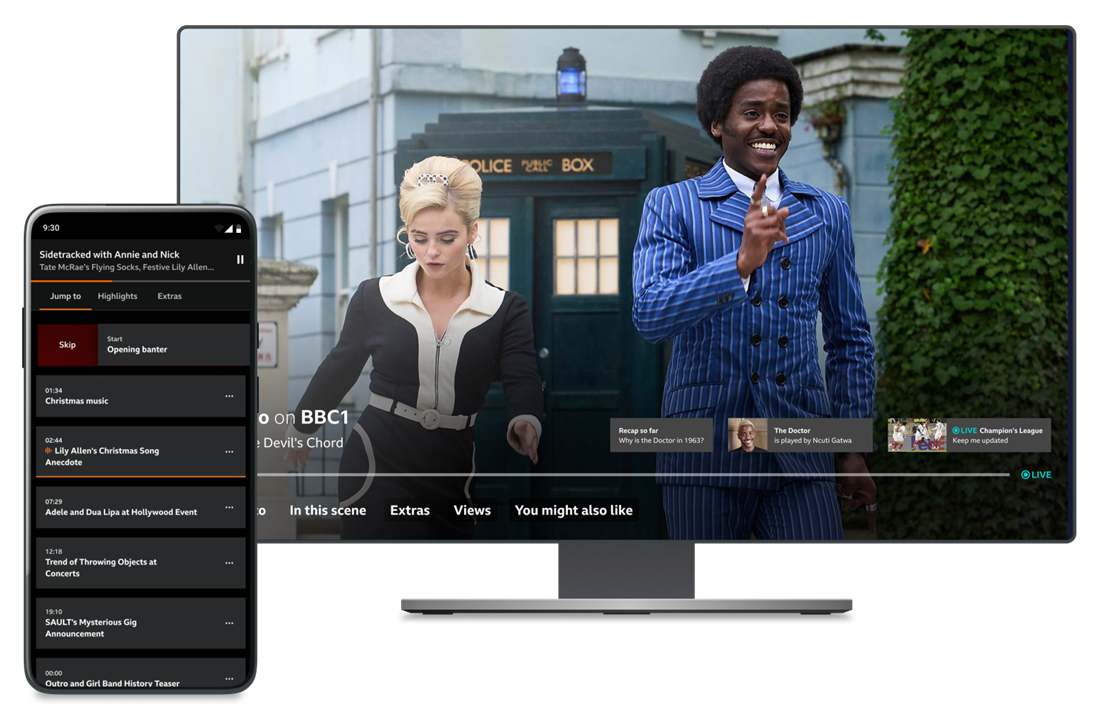
The UI approach works equally well for video and audio content. Here, a user can see the table of content for a podcast and even decide to manually skip a chapter. Mini cards can be used to alert users serendipitously when something of interest appears. It’s also a way to enable stream switching scenarios around live TV.
More detailed UI explorations
Learnings
Cross device design
To deliver an experience across mobile, TV and web I had to consider different interaction & size but also context of use. Not all the features need to be available everywhere.
Edge use cases matter
Because the goal was to create a future-proof design approach, I purposefully looked at a wide range of edge cases and made sure the designs could accommodate them. This didn’t come naturally to product colleagues who tend to focus on most common use cases for an MVP.
Heated competition
I made sure to keep up with a fast-changing landscape as it provides both validation and inspiration. Every other week I’d see a competitor release some version of the features we’d been designing.
Beyond the usual metrics
This work revealed the limits of the BBC’s current metrics. For example, skipping a chapter, which is a research-validated user need, decreases time spent, which is a metric the iPlayer team is desperately trying to increase. I find challenging established ways of thinking to be the most interesting part of R&D.